
Introduction
JavaScript evolves rapidly. New features are introduced every year through the ECMAScript (ES) specification, allowing developers to write cleaner, faster, and more expressive code.
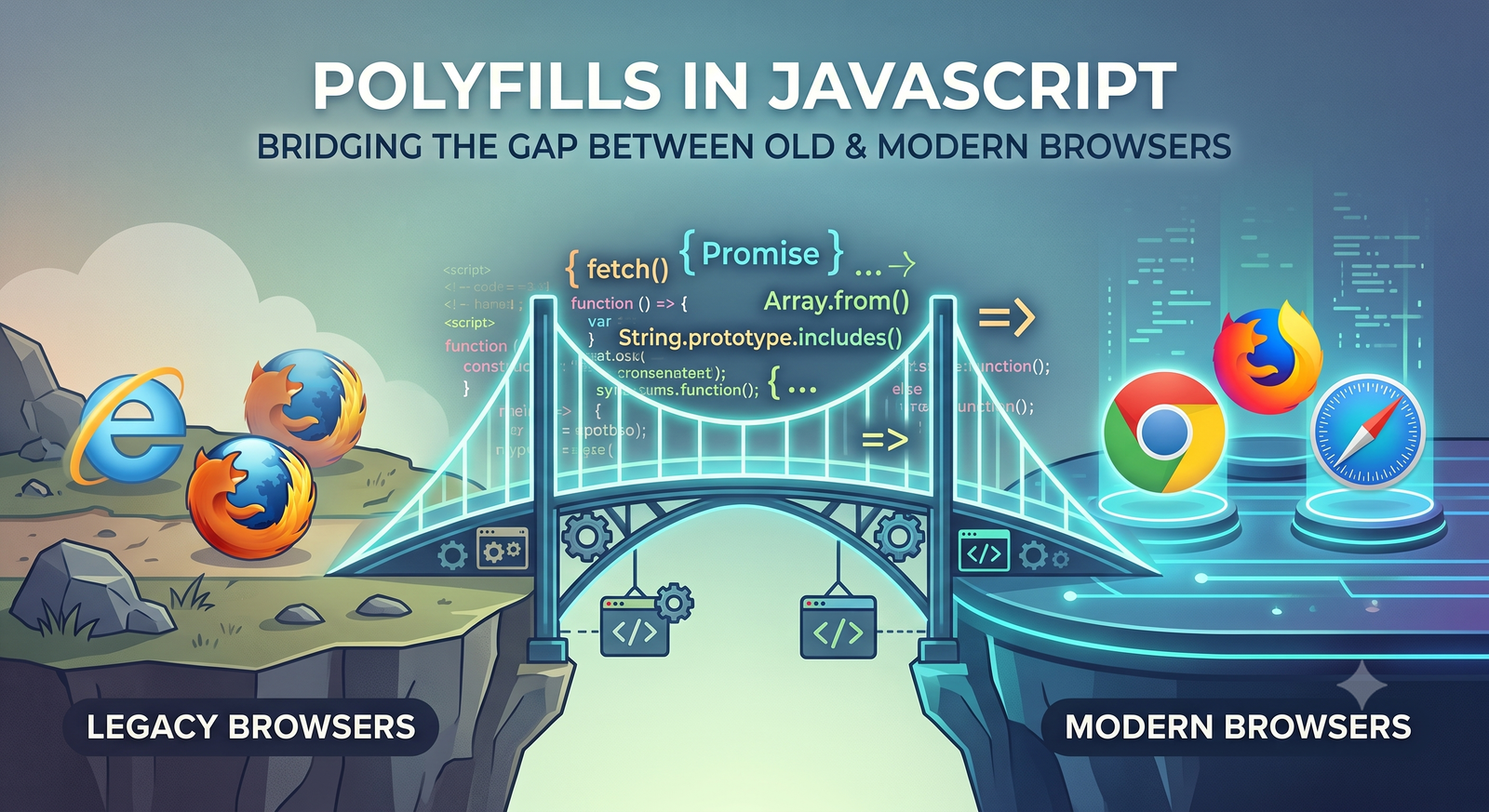
The challenge is that not all browsers support new features immediately. Users may still be using older browser versions that lack support for modern APIs such as Promise, fetch, Array.prototype.includes, or Object.fromEntries.
This is where polyfills become essential.
A polyfill is JavaScript code that implements modern functionality in environments where it does not natively exist, allowing developers to use modern features while maintaining backward compatibility.
What Is a Polyfill?
A polyfill is a piece of code that replicates a native JavaScript feature if that feature is unavailable in the user’s browser.
Example
Modern JavaScript:
const numbers = [1, 2, 3];

console.log(numbers.includes(2)); // true
Older browsers such as Internet Explorer do not support Array.prototype.includes.
A polyfill adds the missing method:
if (!Array.prototype.includes) {
  Array.prototype.includes = function(searchElement) {
    return this.indexOf(searchElement) !== -1;
  };
}
Now the code works in browsers that don’t support includes.
Why Polyfills Matter
Polyfills help developers:
- Use modern JavaScript features safely
- Improve user experience across browsers
- Reduce browser-specific code branches
- Support legacy enterprise environments
- Enable progressive enhancement
Without polyfills, developers would often need to write verbose fallback implementations.
How Polyfills Work
The basic strategy is:
- Check whether a feature exists.
- If it does not exist, define it.
- Leave native implementations untouched.
Typical pattern:
if (!window.Promise) {
  // Add Promise implementation
}
This ensures modern browsers continue using their optimized native implementations.
Common JavaScript Polyfills
1. Array.prototype.includes()
Native Usage
const fruits = ['apple', 'banana'];

console.log(fruits.includes('banana'));
Polyfill
if (!Array.prototype.includes) {
  Array.prototype.includes = function(searchElement, fromIndex) {
    return this.indexOf(searchElement, fromIndex) !== -1;
  };
}
2. String.prototype.startsWith()
Native Usage
const text = "JavaScript";

console.log(text.startsWith("Java"));
Polyfill
if (!String.prototype.startsWith) {
  String.prototype.startsWith = function(search, position) {
    position = position || 0;

    return this.substring(position, position + search.length) === search;
  };
}
3. Object.assign()
Native Usage
const target = { a: 1 };
const source = { b: 2 };

const result = Object.assign(target, source);

console.log(result);
Polyfill
if (!Object.assign) {
  Object.assign = function(target, ...sources) {
    if (target == null) {
      throw new TypeError('Cannot convert undefined or null');
    }

    const to = Object(target);

    for (const source of sources) {
      if (source != null) {
        for (const key in source) {
          if (Object.prototype.hasOwnProperty.call(source, key)) {
            to[key] = source[key];
          }
        }
      }
    }

    return to;
  };
}
4. Promise Polyfill
Promises are foundational in modern JavaScript.
Native Usage
fetch('/api/users')
  .then(response => response.json())
  .then(data => console.log(data));
Older browsers lack Promise support.
Instead of writing a Promise polyfill manually, developers typically use:
Example:
<script src="https://cdn.jsdelivr.net/npm/es6-promise/dist/es6-promise.auto.min.js"></script>
5. Fetch API Polyfill
Native Usage
fetch('/api/products')
  .then(response => response.json())
  .then(data => console.log(data));
Polyfill Library
<script src="https://cdn.jsdelivr.net/npm/whatwg-fetch@3.6.20/dist/fetch.umd.js"></script>
Official project:
WHATWG Fetch Polyfill Repository
Visual Understanding
Polyfill Workflow Diagram
Image:
📷 https://miro.medium.com/max/1400/1*6H0LzN9Y7kzLxP7f5Q8dEA.png
Illustration flow:
Your Code
     |
     v
Check Feature Exists?
     |
  Yes/No
   /   \
Native  Polyfill
   \   /
    Browser
Real-World Example
Suppose you’re building a dashboard:
const users = ['John', 'Jane', 'Alex'];

if (users.includes('Jane')) {
  console.log('User found');
}
Works in:
- Chrome
- Firefox
- Edge
- Safari
Fails in:
- Internet Explorer 11
Adding a polyfill:
if (!Array.prototype.includes) {
  Array.prototype.includes = function(item) {
    return this.indexOf(item) > -1;
  };
}
Now it works everywhere.
Polyfills vs Transpilers
Many developers confuse polyfills with transpilers.
| Feature | Polyfill | Transpiler |
|---|---|---|
| Adds missing APIs | ✅ | ❌ |
| Converts syntax | ❌ | ✅ |
| Runtime solution | ✅ | ❌ |
| Build-time solution | ❌ | ✅ |
Polyfill Example
Makes this work:
array.includes(value);
Transpiler Example
Converts:
const name = "John";
Into:
var name = "John";
Common transpiler:
Using Babel with Polyfills
Modern projects often use Babel and Core-JS together.
Install:
npm install core-js regenerator-runtime
Babel configuration:
module.exports = {
  presets: [
    [
      '@babel/preset-env',
      {
        useBuiltIns: 'usage',
        corejs: 3
      }
    ]
  ]
};
This automatically injects only the polyfills needed by your target browsers.
Core-JS: The Most Popular Polyfill Library
Official project:
Example:
import "core-js/features/promise";
import "core-js/features/array/includes";
Or globally:
import "core-js/stable";
Supported features include:
- Promise
- Symbol
- Map
- Set
- Array methods
- String methods
- Reflect
- WeakMap
- WeakSet
- Object utilities
Feature Detection Best Practices
Never detect browsers.
❌ Bad:
if (navigator.userAgent.includes('MSIE')) {
  // IE logic
}
✅ Good:
if (!window.Promise) {
  // Polyfill Promise
}
Feature detection is more reliable than browser detection.
Performance Considerations
Polyfills can:
Increase Bundle Size
Without Polyfills: 150 KB
With All Polyfills: 350 KB
Impact Startup Time
Large polyfill bundles may slow initial page load.
Best Practice
Use targeted polyfills:
import "core-js/features/array/includes";
Instead of:
import "core-js/stable";
when only a few features are required.
Modern Alternatives
Today, many teams use:
- Babel
- Core-JS
- Browserlist
- Differential Loading
Example Browserlist:
> 0.5%
last 2 versions
not dead
This allows build tools to include only necessary polyfills.
Official documentation:
Browser Compatibility Resources
To check if a feature requires a polyfill:
Example workflow:
- Search feature on Can I Use.
- Check browser support.
- Add polyfill if necessary.
- Bundle through Babel/Core-JS.
Interview Questions on Polyfills
What is a polyfill?
A piece of code that implements a modern JavaScript feature in browsers that do not support it natively.
Difference between polyfill and transpiler?
Polyfills add missing APIs at runtime, while transpilers convert modern syntax into older JavaScript during build time.
Why not overwrite native implementations?
Native browser implementations are typically faster and more standards-compliant than custom implementations.
How do modern projects manage polyfills?
Most projects use Babel with Core-JS and Browserlist to automatically inject only required polyfills.
Conclusion
Polyfills are one of the most important compatibility tools in the JavaScript ecosystem. They allow developers to adopt modern APIs without abandoning users on older browsers. Combined with tools like Babel and Core-JS, polyfills enable a “write modern JavaScript, run everywhere” development strategy.
Key takeaways:
- Polyfills add missing functionality.
- They are different from transpilers.
- Feature detection is crucial.
- Core-JS is the industry-standard polyfill library.
- Use targeted polyfills to avoid unnecessary bundle bloat.
- Always verify browser support before introducing new APIs.
This approach helps maintain compatibility, performance, and developer productivity across a wide range of environments.