Meta Description: Learn how to run powerful open-source AI models locally on a budget PC. This step-by-step guide covers hardware requirements, model selection, Ollama setup, performance optimization, and practical use cases.
Imagine Running Your Own ChatGPT Without Paying Monthly Fees
What if you could run an AI assistant similar to ChatGPT directly on your computer without paying monthly subscription fees, sharing your data with third parties, or relying on an internet connection?
That future is already here.
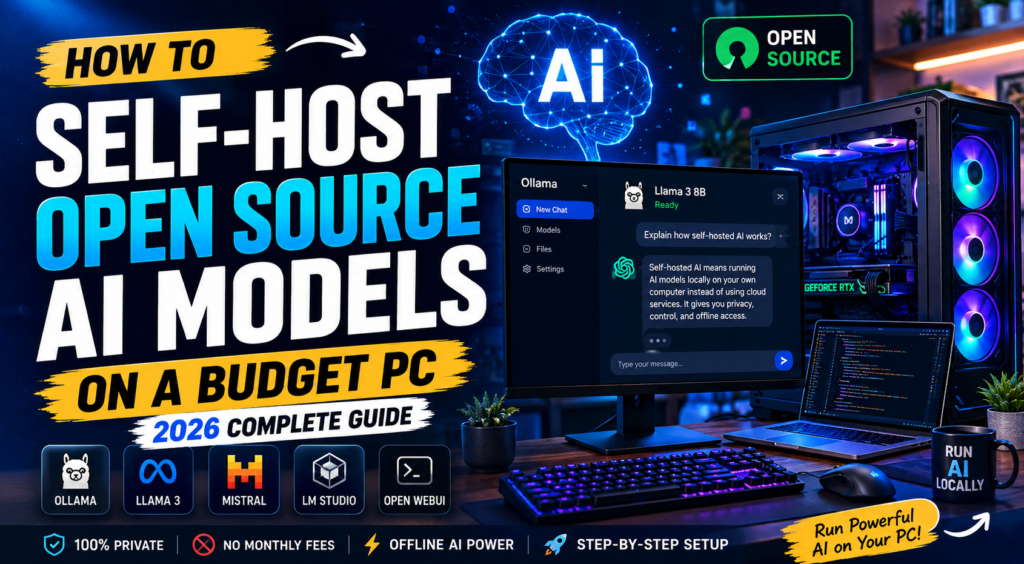
Thanks to powerful open-source AI models and beginner-friendly tools like Ollama, LM Studio, and Open WebUI, anyone with a modern budget PC can run advanced AI models at home.
Whether you’re a developer, student, content creator, or tech enthusiast, self-hosting AI gives you complete control over your data while unlocking powerful capabilities such as code generation, content writing, document analysis, and personal automation.
In this guide, you’ll learn exactly how to self-host open-source AI models on a budget PC, including hardware recommendations, installation steps, model selection, and performance optimization tips.
Why More People Are Self-Hosting AI in 2026
The popularity of self-hosted AI has exploded over the past year. While cloud-based AI services are convenient, they come with limitations.
Benefits of Running AI Locally
Complete Privacy
Your prompts, conversations, files, and documents remain on your computer.
No external servers.
No third-party access.
No Monthly Subscriptions
Many AI platforms charge monthly fees.
Running local models means paying only for your hardware.
Offline Access
Internet outages won’t stop your AI assistant.
Everything works locally.
Customization
You can choose models that fit your needs instead of relying on a single provider.
Better Learning Experience
Running AI locally helps developers and enthusiasts understand how modern AI systems actually work.
Can a Budget PC Really Run AI?
The short answer is yes.
Modern AI models have become significantly more efficient.
You no longer need enterprise hardware or expensive GPUs to get started.
Entry-Level Setup
| Component | Recommended |
|---|---|
| CPU | Intel i5 12th Gen or Ryzen 5 |
| RAM | 16GB |
| Storage | 256GB SSD |
| GPU | Optional |
| Operating System | Windows 11 or Linux |
Suitable for:
- TinyLlama
- Phi Models
- Gemma 2B
- Small coding assistants
Recommended Budget AI Setup
| Component | Recommended |
|---|---|
| CPU | Ryzen 7 5700X |
| RAM | 32GB |
| Storage | 500GB SSD |
| GPU | RTX 3060 12GB |
| Operating System | Ubuntu or Windows |
Suitable for:
- Llama 3 8B
- Mistral 7B
- Gemma 7B
- Qwen Models
This setup offers an excellent balance between performance and affordability.
Best Open-Source AI Models for Budget PCs
Choosing the right model is important.
Larger models may provide better results but require more memory and processing power.
1. Llama 3 8B
Llama 3 remains one of the most popular open-source AI models.
Best For
- Content creation
- General chat
- Research
- Learning
Advantages
- Excellent performance
- Large community support
- Frequently updated
2. Mistral 7B
Mistral is known for being lightweight while delivering impressive performance.
Best For
- Coding
- Technical questions
- Automation tasks
Advantages
- Fast responses
- Lower resource usage
3. Gemma
Gemma is designed to run efficiently on smaller systems.
Best For
- Students
- Beginners
- Lightweight AI projects
4. Qwen
Qwen models have become increasingly popular among developers.
Best For
- Programming
- Multilingual tasks
- Technical workflows
Tools You Need to Run AI Locally
Several applications make self-hosting AI extremely easy.
Ollama
Ollama is currently one of the easiest ways to run local AI models.
Why Ollama?
- Beginner friendly
- Fast installation
- Large model library
- Active community
For most users, Ollama should be the first choice.
LM Studio
LM Studio provides a graphical interface for downloading and running AI models.
Benefits
- No command line required
- Simple model management
- Great for beginners
Open WebUI
Open WebUI creates a ChatGPT-style interface for your local models.
Features
- Browser access
- Multiple conversations
- Team collaboration
Perfect for advanced users.
Step-by-Step: Running Your First AI Model
Let’s set up a local AI assistant using Ollama.
Step 1: Install Ollama
Visit the Ollama website and download the installer for your operating system.
After installation, open Command Prompt or Terminal.
Verify installation:
ollama --version
If you see a version number, you’re ready to continue.
Step 2: Download a Model
Let’s download Llama 3.
ollama pull llama3
The download may take several minutes depending on your internet speed.
Step 3: Launch the Model
Run:
ollama run llama3
Within seconds, your local AI assistant will be ready.
Step 4: Start Chatting
Try asking:
Explain cloud computing like I'm 10 years old.
Or:
Write a Python script that generates random passwords.
The AI will respond directly from your machine.
No cloud services involved.
Real-World Projects You Can Build
Running AI locally becomes much more exciting when applied to real projects.
Personal Coding Assistant
Developers can use local AI to:
- Generate code
- Fix bugs
- Explain functions
- Review projects
Without exposing proprietary code online.
AI-Powered Research Assistant
Upload documents and ask questions about them.
Perfect for:
- Students
- Researchers
- Writers
Blog Content Generator
Use AI to:
- Generate outlines
- Create article drafts
- Brainstorm ideas
- Improve SEO
Personal Knowledge Base
Connect your notes and documents to create a private search assistant.
Many users combine local AI with tools like Obsidian.
Home Automation Assistant
Integrate local AI with:
- Smart homes
- Raspberry Pi projects
- Custom dashboards
Common Beginner Mistakes
Avoid these mistakes when starting.
Downloading Massive Models First
Many beginners immediately try huge models.
Start with:
- Llama 3 8B
- Mistral 7B
These provide excellent results without overwhelming your system.
Using HDD Instead of SSD
AI models constantly load data.
SSD storage significantly improves performance.
Running Too Many Programs
Browsers and background apps consume valuable RAM.
Close unnecessary applications before running models.
Ignoring Quantized Models
Quantized models use less memory and run faster.
Look for:
- Q4
- Q5
- Q8
versions whenever possible.
Performance Optimization Tips
Want faster responses?
Follow these recommendations.
Upgrade RAM First
Increasing RAM often provides the biggest improvement.
Use GPU Acceleration
If available, enable GPU processing.
Keep Models Updated
Newer versions often include major efficiency improvements.
Store Models on SSD
Loading times become dramatically faster.
Cloud AI vs Self-Hosted AI
| Feature | Cloud AI | Self-Hosted AI |
|---|---|---|
| Monthly Cost | Yes | No |
| Privacy | Medium | High |
| Internet Required | Yes | No |
| Customization | Limited | High |
| Data Ownership | Shared | Full Control |
| Offline Usage | No | Yes |
For users concerned about privacy and long-term costs, self-hosting is increasingly becoming the preferred option.
Is Self-Hosting AI Worth It?
For most developers and tech enthusiasts, absolutely.
You gain:
- Better privacy
- Lower long-term costs
- Offline functionality
- Greater flexibility
- Hands-on AI experience
The learning curve is surprisingly small, especially with tools like Ollama simplifying the entire process.
The Future of Local AI
Open-source AI is advancing at an incredible pace.
Models are becoming:
- Faster
- Smaller
- Smarter
- More accessible
Over the next few years, we can expect local AI assistants to become a standard part of personal computing, much like web browsers and office applications are today.
Those who start experimenting now will have a significant advantage as AI becomes increasingly integrated into everyday workflows.
Final Thoughts
Self-hosting open-source AI models is no longer limited to AI researchers or large organizations.
With affordable hardware, powerful open-source models, and user-friendly tools like Ollama, almost anyone can run advanced AI directly on their computer.
Whether you want a private coding assistant, a content creation partner, or simply want to explore the future of AI, self-hosting is one of the most rewarding technology projects you can start in 2026.
The best part? You can get started today with hardware you may already own.
Frequently Asked Questions
Can I run AI models without a GPU?
Yes. Many smaller models work perfectly on modern CPUs.
Is 16GB RAM enough?
Yes, for smaller models. For the best experience, 32GB is recommended.
Which model should beginners use?
Llama 3 8B and Mistral 7B are excellent starting points.
Is self-hosted AI free?
Most open-source models and tools are free. Your main cost is hardware.
Can I use local AI offline?
Yes. Once downloaded, models can run entirely without internet access.
Suggested Internal Links:
- Best AI Tools for Developers
- Beginner’s Guide to Machine Learning
- Top VS Code Extensions for Productivity
- How to Build AI-Powered Applications
Estimated Reading Time: 8–10 Minutes
Word Count: ~2,000+ words